Object-oriented programming in Python: the big picture and the four pillars
 Advertisement
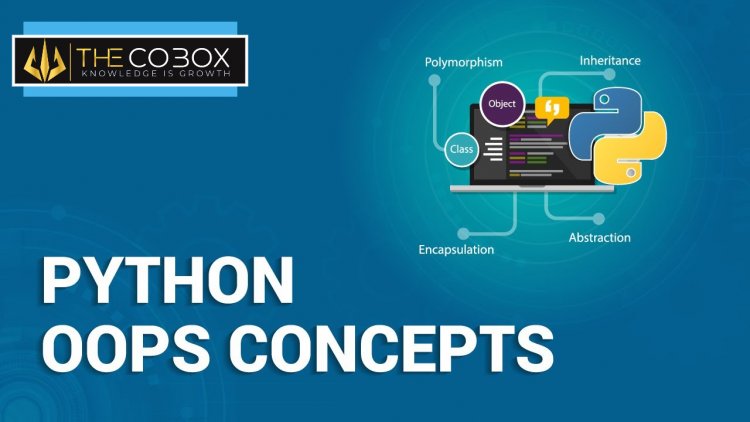
Almost every Python library you will use, from the standard library's datetime to web frameworks, is built from classes and objects. Before you study the syntax in detail, it helps to understand why object-oriented programming (OOP) exists and what ideas it is built on. This post gives the big picture: the problem OOP solves, the vocabulary, the four pillars with one small example that shows each of them, and a peek at how Python stores an object's data. The detailed syntax is covered in the four-part series that follows. All code was run on Python 3.9.
The problem OOP solves
Imagine a program for a school. In procedural style, you keep data in plain structures and write functions that take them as arguments:
student1 = {"name": "Asha", "marks": [80, 90, 70]}
student2 = {"name": "Ravi", "marks": [60, 55, 75]}

def average(student):
    return sum(student["marks"]) / len(student["marks"])

def is_topper(student, cutoff=75):
    return average(student) >= cutoff

print(average(student1), is_topper(student1), is_topper(student2))
# 80.0 True False
This works for a small program. As it grows, trouble appears: the data and the functions are only connected by a convention (every function must know the dictionary has a "marks" key); anyone can set student1["marks"] = "oops"; and you need many similar functions for teachers, courses and fees, with nothing that groups them.
OOP's answer is to bundle the data and the functions that work on it into one unit, the object, and to describe all similar objects once, in a class:
class Student:
    def __init__(self, name, marks):
        self.name = name
        self.marks = list(marks)

    def average(self):
        return sum(self.marks) / len(self.marks)

    def is_topper(self, cutoff=75):
        return self.average() >= cutoff

s1 = Student("Asha", [80, 90, 70])
s2 = Student("Ravi", [60, 55, 75])
print(s1.average(), s1.is_topper(), s2.is_topper())
# 80.0 True False
The result is the same, but now average belongs to the student, the data is created in one controlled place, and each object carries its own marks.
Vocabulary
| Term | Meaning | In the example |
|---|---|---|
| Class | a blueprint describing data and behaviour | Student |
| Object (instance) | one thing built from the class | s1, s2 |
| Attribute | a variable that belongs to an object or class | name, marks |
| Method | a function defined in a class | average, is_topper |
| Constructor | the method that sets up a new object | __init__ |
self |
the object the method is working on | first parameter |
A useful comparison is a blueprint and houses: one blueprint, many houses. Every house has its own paint colour (instance data) but follows the same plan (class). In Python, "everything is an object": numbers, strings, lists, functions and classes themselves.
print(type(5), type("a"), type([1]), type(len), type(Student))
# <class 'int'> <class 'str'> <class 'list'> <class 'builtin_function_or_method'> <class 'type'>
print((5).bit_length(), "abc".upper(), [3, 1, 2].index(2))       # 3 ABC 2
Even the number 5 has methods. You have been using objects since your first program; now you are learning to define your own.
The four pillars of OOP
Textbooks name four ideas. Here they are one by one, using a small payment example.
1. Encapsulation
Encapsulation means keeping an object's data and the code that changes it together, and controlling access so that the object always stays in a valid state. Other code uses the object through its methods instead of reaching into its data.
class Wallet:
    def __init__(self, balance=0):
        self._balance = balance            # internal detail

    @property
    def balance(self):
        return self._balance

    def add(self, amount):
        if amount <= 0:
            raise ValueError("amount must be positive")
        self._balance += amount

    def spend(self, amount):
        if amount > self._balance:
            raise ValueError("not enough money")
        self._balance -= amount

w = Wallet(100)
w.add(50)
w.spend(30)
print(w.balance)                           # 120
try:
    w.spend(500)
except ValueError as e:
    print(e)                               # not enough money
The rules (no negative deposits, no overspending) live in one place, so the balance can never become invalid through these methods. Python marks internals with a leading underscore by convention; part 4 of the series explains private names in detail.
2. Abstraction
Abstraction means showing what an object does and hiding how. You press the brake pedal without knowing how the hydraulic system works. In code, a class exposes a small, clear interface, and the details behind it can change without breaking the users.
class PaymentMethod:
    def pay(self, amount):
        raise NotImplementedError

class Card(PaymentMethod):
    def pay(self, amount):
        return f"card charged {amount} (validation, fees and network calls hidden here)"
The caller only knows pay(amount). Python formalises abstraction with abstract base classes, also covered in part 4.
3. Inheritance
Inheritance lets a new class reuse and extend an existing one, modelling an "is-a" relationship. A Card is a PaymentMethod.
class Upi(PaymentMethod):
    def pay(self, amount):
        return f"UPI payment of {amount} sent"

class Cash(PaymentMethod):
    def pay(self, amount):
        return f"cash {amount} received"

print(isinstance(Upi(), PaymentMethod), issubclass(Cash, PaymentMethod))     # True True
Shared code goes in the parent; each child adds only what is different. Part 2 covers inheritance, the "has-a" alternative and method resolution order.
4. Polymorphism
Polymorphism ("many forms") means the same call works on different kinds of objects, each doing its own thing:
for method in (Card(), Upi(), Cash()):
    print(method.pay(500))
card charged 500 (validation, fees and network calls hidden here)
UPI payment of 500 sent
cash 500 receivedThe loop does not know or care which kind of payment it has. Adding NetBanking later requires no change to the loop. Part 3 shows polymorphism through duck typing, overriding and operator overloading.
| Pillar | One-line meaning | Python tools |
|---|---|---|
| Encapsulation | bundle data with methods and protect it | methods, _name, properties |
| Abstraction | expose what, hide how | abstract classes, clear public methods |
| Inheritance | reuse and specialise a class | class Child(Parent), super() |
| Polymorphism | one interface, many behaviours | overriding, duck typing, magic methods |
How an object stores its data
A Python object is little more than a dictionary of its attributes plus a link to its class. You can see it:
s = Student("Asha", [80, 90])
print(s.__dict__)                       # {'name': 'Asha', 'marks': [80, 90]}
s.nickname = "A"                        # attributes can be added later
print(sorted(s.__dict__), hasattr(s, "nickname"), getattr(s, "age", "unknown"))
# ['marks', 'name', 'nickname'] True unknown
print(Student.__dict__["average"].__name__, type(s).__name__)       # average Student
Methods are stored on the class, data on the object. When you write s.average(), Python looks first in the object's own __dict__, then in the class, then in its parents. That lookup order explains most OOP behaviour, including overriding.
The flexibility has a cost: every object carries a dictionary, which uses memory. When you create millions of small objects with a fixed set of attributes, __slots__ removes the dictionary:
class Point:
    __slots__ = ("x", "y")
    def __init__(self, x, y):
        self.x, self.y = x, y

p = Point(1, 2)
try:
    p.z = 3
except AttributeError as e:
    print(e)                            # 'Point' object has no attribute 'z'
print(hasattr(p, "__dict__"))           # False
You rarely need this early on, but it shows that an object's layout is something you can control.
Documenting a class
The first string in a class body is its docstring. It describes the class and is shown by help() and by editors:
class Invoice:
    """A simple invoice with line items."""

print(Invoice.__doc__)                  # A simple invoice with line items.
Write a docstring for every public class and method: one clear sentence is enough to start.
When to use OOP (and when not to)
OOP is a tool, not a religion. It fits well when you model things with state and behaviour that appear in several copies: accounts, users, orders, game characters, files, connections. It is also the natural shape of frameworks, where you subclass something and fill in the gaps.
A plain function is better when the job is a simple transformation of input to output, and a dictionary or dataclass is better when you only need to hold some fields. Python's dataclasses module writes the boring parts for you:
from dataclasses import dataclass

@dataclass
class Item:
    name: str
    price: float
    qty: int = 1

    def total(self):
        return self.price * self.qty

print(Item("Pen", 10.0, 3), Item("Pen", 10.0, 3).total())
# Item(name='Pen', price=10.0, qty=3) 30.0
Many beginners overbuild: a program of 40 lines does not need five classes. Start with functions, and introduce a class when you notice that the same group of variables is passed around together, or when you want several independent copies of some state.
Common mistakes
- Making a class for everything, including things that are just functions.
- Putting all data in class-level variables, which are shared by every object.
- Reaching into another object's internals instead of calling its methods.
- Using inheritance when "has-a" (holding another object) is the real relationship.
- Forgetting
self, both in the parameter list and when using attributes.
Where to go next
Follow the series in order: part 1 on classes, objects, constructors and variables, part 2 on inheritance, part 3 on polymorphism and part 4 on abstraction and access control. The matching video lessons are Episode 61, Episode 62 and Episode 63, and the Python course shows where they fit.